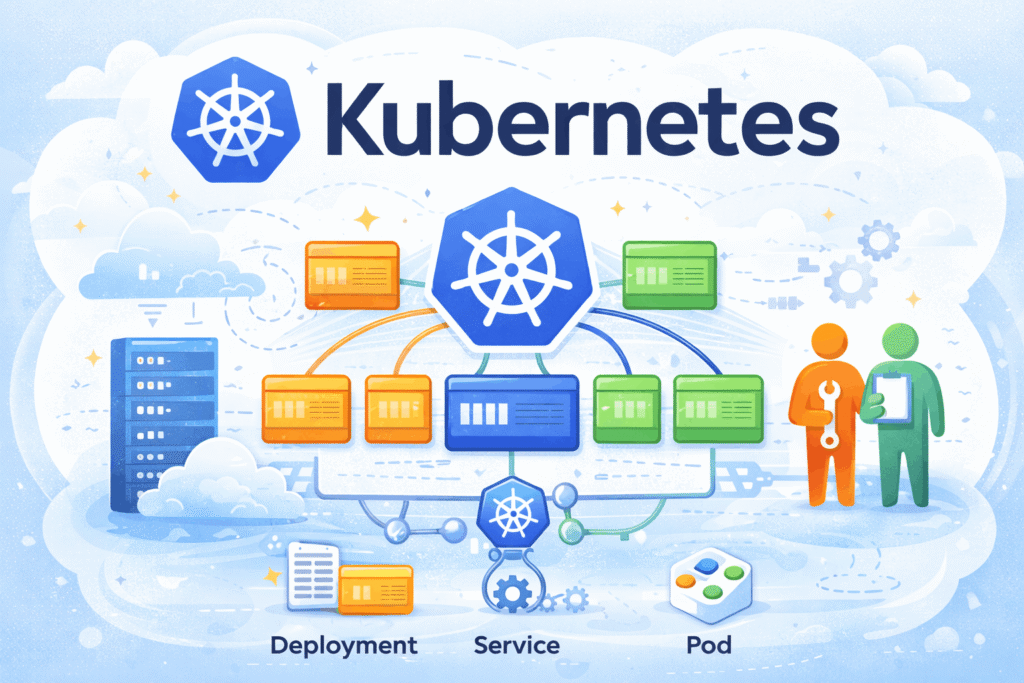

Kubernetes (often abbreviated as K8s) is an open-source platform designed to automate the deployment, scaling, and management of containerized applications.
It was originally developed by Google and is now maintained by the Cloud Native Computing Foundation. Modern applications are built using containers (e.g., Docker), but managing hundreds or thousands of containers manually is complex.
Kubernetes solves this by acting as a container orchestrator, helping you:
Balance load across instances
Deploy applications easily
Scale up/down automatically
Handle failures (self-healing)
Expose services to users
Architecture
A Kubernetes cluster has two main parts:
1. Control Plane (Brain)
Manages the cluster.
These components make decisions and maintain the desired state.
API Server (kube-apiserver)
- Entry point to Kubernetes
- All commands (
kubectl) go here - Validates and processes requests
Think: Front door of the cluster
etcd
- Distributed key-value database
- Stores entire cluster state
- Highly critical component
Think: Cluster’s brain memory
Scheduler (kube-scheduler)
- Decides which node runs a pod
- Based on:
- CPU/memory
- affinity/anti-affinity
- taints/tolerations
Think: Placement engine
Controller Manager (kube-controller-manager)
- Runs controllers that maintain desired state
- Examples:
- Node controller
- Replication controller
- Endpoint controller
Think: Auto-correction system
Cloud Controller Manager (optional)
- Integrates with cloud providers (AWS, Azure, GCP)
- Manages:
- Load balancers
- Storage
- Nodes
2. Worker Nodes (Muscle)
Run your applications (containers).
These run your actual workloads.
Kubelet
- Agent running on each node
- Talks to API server
- Ensures containers are running correctly
Think: Node supervisor
Container Runtime
- Runs containers
- Examples:
- Docker
- containerd
- CRI-O
Think: Engine that runs containers
Kube Proxy
- Handles networking
- Manages service routing and load balancing
Think: Traffic manager
🔹 Pods
- Smallest deployable unit
- One or more containers
Think: Your actual application
3. Networking Layer
Kubernetes networking connects everything:
- Pod-to-Pod communication
- Service abstraction
- External access
Key concepts:
- Cluster IP
- NodePort
- LoadBalancer
- Ingress
Core Objects (YAML Manifests)
Everything in Kubernetes is a declarative object you describe in YAML and create with kubectl apply -f <file>. These are the objects you will write most often.
Pod — the smallest deployable unit
apiVersion: v1
kind: Pod
metadata:
  name: nginx
  labels:
    app: nginx
spec:
  containers:
    - name: nginx
      image: nginx:1.27
      ports:
- containerPort: 80Deployment — manage replicas & rollouts
apiVersion: apps/v1
kind: Deployment
metadata:
  name: web
spec:
  replicas: 3
  selector:
    matchLabels:
      app: web
  template:
    metadata:
      labels:
        app: web
    spec:
      containers:
        - name: web
          image: myapp:1.0
          ports:
            - containerPort: 8080
          resources:
            requests:
              cpu: "100m"
              memory: "128Mi"
            limits:
              cpu: "500m"
memory: "256Mi"Service — stable network endpoint
apiVersion: v1
kind: Service
metadata:
  name: web
spec:
  selector:
    app: web                # routes to Pods with this label
  ports:
    - port: 80
      targetPort: 8080
type: ClusterIP # ClusterIP | NodePort | LoadBalancerIngress — HTTP routing into the cluster
apiVersion: networking.k8s.io/v1
kind: Ingress
metadata:
  name: web
spec:
  rules:
    - host: example.com
      http:
        paths:
          - path: /
            pathType: Prefix
            backend:
              service:
                name: web
                port:
number: 80ConfigMap & Secret — configuration and credentials
apiVersion: v1
kind: ConfigMap
metadata:
  name: app-config
data:
  LOG_LEVEL: "info"
  API_URL: "https://api.example.com"
---
apiVersion: v1
kind: Secret
metadata:
  name: app-secrets
type: Opaque
stringData:
DB_PASSWORD: "s3cr3t" # use a real secret manager in productionCluster & Context
kubectl cluster-info
kubectl version
kubectl config view
kubectl config current-context
kubectl config get-contexts
kubectl config use-context <context-name>
kubectl config set-context --current --namespace="<name-space>"Get Resources
kubectl get pods
kubectl get nodes
kubectl get services
kubectl get deployments
kubectl get replicasets
kubectl get namespaces
kubectl get eventsWith extra options:
kubectl get pods -o wide
kubectl get pods -A
kubectl get allDescribe
kubectl describe pod <pod-name>
kubectl describe node <node-name>
kubectl describe deployment <deployment-name>
kubectl describe service <service-name>Logs
kubectl logs <pod-name>
kubectl logs <pod-name> -c <container-name>
kubectl logs -f <pod-name>   # follow logs
kubectl logs --previous <pod-name>Create / Apply / Delete
kubectl apply -f file.yaml
kubectl create -f file.yaml
kubectl delete -f file.yaml
kubectl delete pod <pod-name>
kubectl delete deployment <deployment-name>
kubectl run nginx --image=nginx
kubectl create deployment myapp --image=nginx
kubectl expose deployment myapp --type=NodePort --port=80Edit & Patch
kubectl edit deployment <name>
kubectl patch deployment <name> -p '{"spec":{"replicas":3}}'Scaling
kubectl scale deployment <name> --replicas=3Rollouts (Deployments)
kubectl rollout status deployment <name>
kubectl rollout history deployment <name>
kubectl rollout undo deployment <name>
kubectl rollout restart deployment <name>Exec & Debugging
kubectl exec -it <pod-name> -- /bin/bash
kubectl exec -it <pod-name> -- /bin/shCopy Files
kubectl cp <pod-name>:/path/file ./file
kubectl cp ./file <pod-name>:/path/filePort Forwarding
kubectl port-forward pod/<pod-name> 8080:80
kubectl port-forward svc/<service-name> 8080:80Namespaces
kubectl create namespace dev
kubectl get ns
kubectl config set-context --current --namespace=devConfigMaps & Secrets
kubectl create configmap my-config --from-literal=key=value
kubectl create secret generic my-secret --from-literal=password=1234

kubectl get configmaps
kubectl get secretsResource Usage (Metrics)
kubectl top nodes
kubectl top podsExplain
kubectl explain pod
kubectl explain deployment.spec