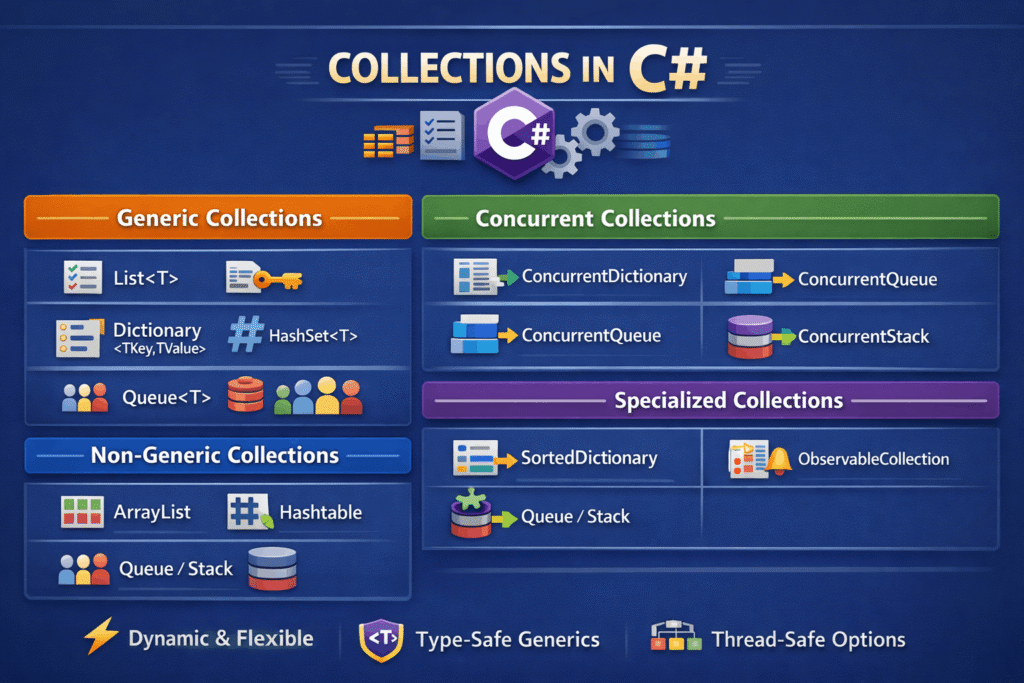

In C#, collections are used to store, manage, and manipulate groups of related objects. Instead of working with fixed-size arrays, collections provide flexibility, type safety, and powerful operations such as searching, sorting, filtering, and grouping.
The .NET framework provides a rich set of collection classes primarily under the System.Collections and System.Collections.Generic namespaces.
Understanding collections is fundamental for writing efficient, readable, and scalable C# applications.
Why Collections Are Important
Collections help developers:
- Store multiple objects dynamically
- Avoid fixed-size limitations of arrays
- Improve code safety with generics
- Perform fast lookups, inserts, and removals
- Model real-world data (users, orders, logs, etc.)
Almost every real-world C# application—web, desktop, mobile, or backend—relies heavily on collections.
Categories of Collections in C#
C# collections are broadly divided into:
- Non-Generic Collections [ArrayList, Hashtable, Queue, Stack, SortedList, BitArray]
- Generic Collections [List, Dictionary, HashSet, Queue, Stack, SortedDictionary, LinkedList]
- Concurrent Collections [ConcurrentDictionary, ConcurrentQueue, ConcurrentStack
- Specialized Collections
1. Non-Generic Collections (System.Collections)
Non-generic collections store elements as object. This means:
- No compile-time type safety
- Boxing/unboxing for value types
- Higher chance of runtime errors
Common Non-Generic Collections
1. ArrayList
A dynamically sized list that stores objects.
// Create ArrayList
ArrayList list = new ArrayList { 10, "Hello", 25, "World" };


// Iterate using foreach
foreach (var item in list)
{
    Console.WriteLine(item); // Iterates through each element
}

// Iterate using for loop
for (int i = 0; i < list.Count; i++)
{
    Console.WriteLine(list[i]); // Access element by index
}

// Find element using Contains
bool exists = list.Contains("Hello"); // Checks if element exists


// Find index of element
int index = list.IndexOf("Hello"); // Returns index or -1 if not found


// Remove element by value
list.Remove("Hello"); // Removes first occurrence of value


// Remove element by index
list.RemoveAt(0); // Removes element at specified index


// Remove all matching elements
list.RemoveAll(item => item is int); // Removes all integers


// Clear all elements
list.Clear(); // Removes all items from ArrayListDrawbacks
- Type casting required when reading values
- Not recommended in modern C#
2. Hashtable
Stores key-value pairs.
using System.Collections;

// Create Hashtable
Hashtable table = new Hashtable
{
    { 1, "Admin" },
    { 2, "User" },
    { 3, "Guest" }
};


// Iterate using foreach (DictionaryEntry)
foreach (DictionaryEntry entry in table)
{
    // Iterates key-value pairs
    Console.WriteLine($"{entry.Key} : {entry.Value}");
}

// Access value by key
var value = table[1]; // Gets value for key

// Check if key exists
bool hasKey = table.ContainsKey(2); // Checks for key existence

// Check if value exists
bool hasValue = table.ContainsValue("Admin"); // Checks for value existence

// Add new key-value pair
table.Add(4, "Manager"); // Adds entry (throws if key exists)

// Update value for existing key
table[2] = "PowerUser"; // Updates value for key

// Remove entry by key
table.Remove(3); // Removes entry with specified key

// Get all keys
ICollection keys = table.Keys; // Retrieves all keys

// Get all values
ICollection values = table.Values; // Retrieves all values

// Clear Hashtable
table.Clear(); // Removes all entries
2. Generic Collections (System.Collections.Generic)
Generic collections provide type safety, better performance, and cleaner code. These are the most commonly used collections in modern C#.
1. List<T>
A strongly typed, dynamic array.
// Create list
List<int> list = new List<int>();

// Add item
list.Add(10);

// Add multiple items
list.AddRange(new[] { 20, 30 });

// Insert item at index
list.Insert(1, 15);

// Update item by index
list[0] = 5;

// Access item by index
int value = list[0];

// Check if item exists
bool exists = list.Contains(20);

// Get index of item
int index = list.IndexOf(30);

// Remove item by value
list.Remove(15);

// Remove item by index
list.RemoveAt(0);

// Remove items by condition
list.RemoveAll(x => x > 20);

// Get count of items
int count = list.Count;

// Sort the list
list.Sort();

// Reverse list order
list.Reverse();

// Convert list to array
int[] array = list.ToArray();

// Clear all items
list.Clear();

// Iterate through list
foreach (var i in list) Console.WriteLine(i);
Use cases
- Ordered data
- Frequent iteration
- Small to medium collections
Key characteristics
- Maintains insertion order
- Allows duplicates
- Index-based access
2. Dictionary<TKey, TValue>
Stores key-value pairs with fast lookups.
// Create dictionary
Dictionary<int, string> dict = new Dictionary<int, string>();

// Add key-value pair
dict.Add(1, "Admin");

// Add or update value using key
dict[2] = "User";

// Access value by key
string val = dict[1];

// Check if key exists
bool hasKey = dict.ContainsKey(1);

// Check if value exists
bool hasValue = dict.ContainsValue("Admin");

// Safely get value by key
dict.TryGetValue(2, out string result);

// Remove entry by key
dict.Remove(1);

// Get number of entries
int count = dict.Count;

// Get all keys
var keys = dict.Keys;

// Get all values
var values = dict.Values;

// Clear dictionary
dict.Clear();

// Iterate through dictionary
foreach (var kv in dict) Console.WriteLine($"{kv.Key} : {kv.Value}");
Use cases
- Lookups by unique key (ID, code, email)
- Caching
- Configuration values
Key characteristics
- Keys must be unique
- Very fast retrieval (O(1) average)
3. HashSet<T>
Stores unique elements only.
// Create HashSet
HashSet<int> set = new HashSet<int>();

// Add item
set.Add(10);

// Add multiple items
set.UnionWith(new[] { 20, 30, 40 });

// Attempt to add duplicate item (ignored)
set.Add(10);

// Check if item exists
bool exists = set.Contains(20);

// Remove item
set.Remove(30);

// Remove items matching condition
set.RemoveWhere(x => x > 25);

// Get count of items
int count = set.Count;

// Iterate through HashSet
foreach (var item in set) Console.WriteLine(item);

// Convert HashSet to array
int[] array = set.ToArray();

// Convert HashSet to list
List<int> list = set.ToList();

// Clear all items
set.Clear();

// Create another HashSet
HashSet<int> otherSet = new HashSet<int> { 30, 40, 50 };

// Union (combine unique elements)
set.UnionWith(otherSet);

// Intersection (common elements)
set.IntersectWith(otherSet);

// Difference (remove elements found in otherSet)
set.ExceptWith(otherSet);

// Symmetric difference (elements in either set, but not both)
set.SymmetricExceptWith(otherSet);

// Check if set is subset of otherSet
bool isSubset = set.IsSubsetOf(otherSet);

// Check if set is superset of otherSet
bool isSuperset = set.IsSupersetOf(otherSet);

// Check if sets overlap
bool overlaps = set.Overlaps(otherSet);

// Check if sets contain same elements
bool equals = set.SetEquals(otherSet);
Use cases
- Prevent duplicates
- Membership checks
Key characteristics
- No ordering
- Fast
Contains()checks
4. Queue<T>
First-In-First-Out (FIFO) collection.
// Create queue
Queue<int> queue = new Queue<int>();

// Add item to queue (enqueue)
queue.Enqueue(10);

// Add multiple items to queue
queue.Enqueue(20); queue.Enqueue(30);

// Peek at first item without removing
int first = queue.Peek();

// Remove item from queue (dequeue)
int removed = queue.Dequeue();

// Check if item exists
bool exists = queue.Contains(20);

// Get number of items in queue
int count = queue.Count;

// Iterate through queue
foreach (var item in queue) Console.WriteLine(item);

// Convert queue to array
int[] array = queue.ToArray();

// Clear all items from queue
queue.Clear();
Use cases
- Task processing
- Message queues
- Background jobs
5. Stack<T>
Last-In-First-Out (LIFO) collection.
Stack<string> stack = new();
stack.Push("Page1");
stack.Push("Page2");

var page = stack.Pop();
Use cases
- Undo/redo
- Navigation history
- Expression evaluation
3. Concurrent Collections (System.Collections.Concurrent)
Concurrent collections are thread-safe and designed for multi-threaded environments.
They eliminate the need for manual locking.
Common Concurrent Collections
1. ConcurrentDictionary<TKey, TValue>
var dict = new ConcurrentDictionary<int, string>();
dict.TryAdd(1, "One");
dict.TryUpdate(1, "Uno", "One");
Use cases
- Shared caches
- Multi-threaded services
2. ConcurrentQueue<T> / ConcurrentStack<T>
Thread-safe versions of Queue<T> and Stack<T>.
ConcurrentQueue<int> queue = new();
queue.Enqueue(10);
queue.TryDequeue(out int value);